> ## Documentation Index
> Fetch the complete documentation index at: https://docs.monieswitch.com/llms.txt
> Use this file to discover all available pages before exploring further.
# Settlement Account
> How to add, enable, and understand your Monieswitch settlement account.
A settlement account is the bank account where Monieswitch sends your funds after you receive payments through your virtual accounts. It is a critical part of your payout process and helps automate or control how and when you receive your money.
You can only add a settlement account after your Monieswitch account has been approved.
## Why Settlement Accounts Matter
* **Automated payouts:** Funds are moved from your Monieswitch balance to your bank account without manual intervention (if auto settlement is enabled).
* **Security:** Only approved and verified accounts can add or change settlement details, reducing fraud risk.
* **Control:** You can choose between automatic and manual settlement, depending on your business needs.
## How to Add or Enable Your Settlement Account
1. **Wait for Approval:**
* Complete your profile and KYC, then await admin approval before you can add a settlement account.
2. **Navigate to Settlement Account Section:**
* Log in to your dashboard.
* Go to the **Settlement Account** section.
3. **Add Your Bank Details:**
* Enter your bank name, account number, and any other required information.
* Double-check for accuracy to avoid payout issues.
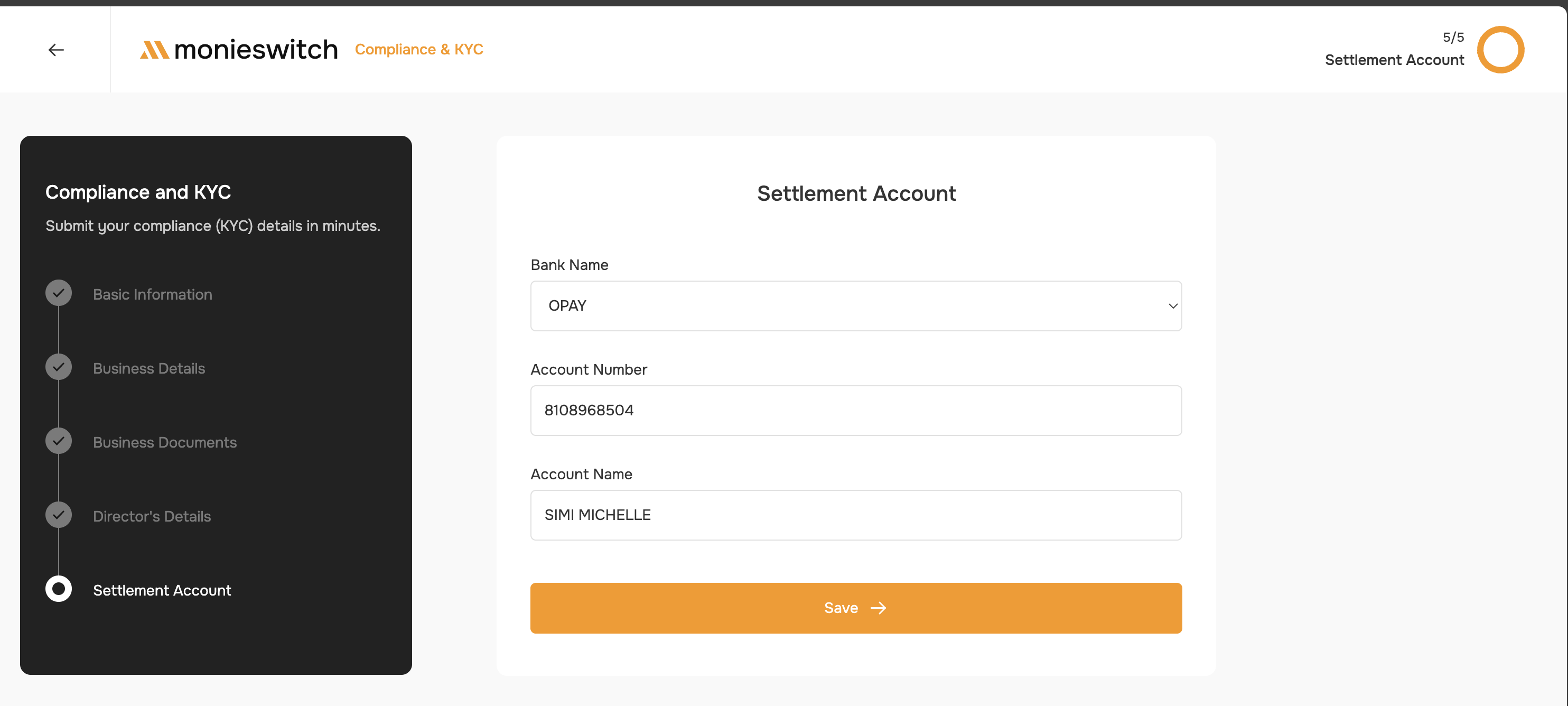 4. **Save and Confirm:**
* Save your details. You may be required to verify the account via OTP or micro-deposit.
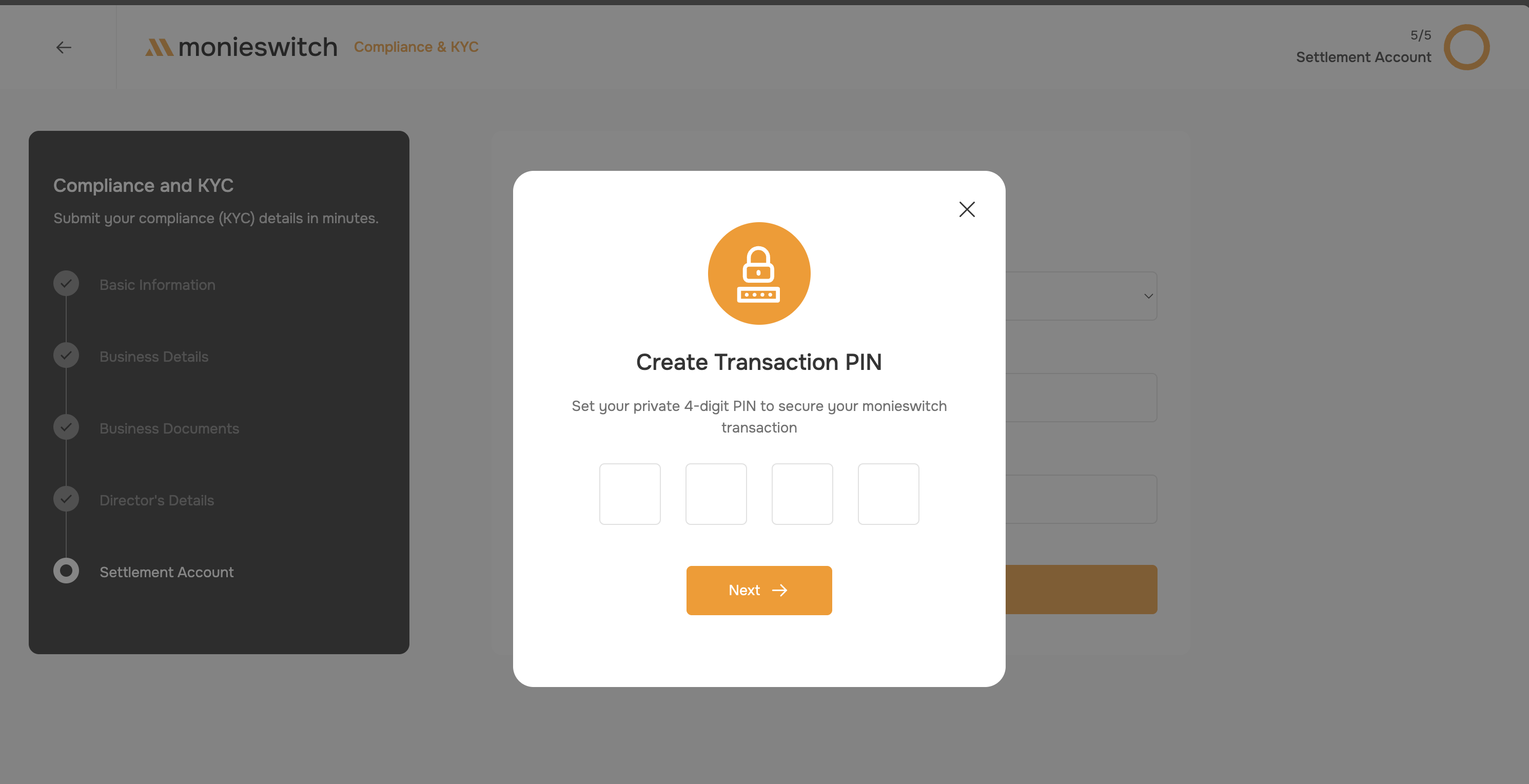
5. **Setup your transaction pin**
* Create a secure PIN for authorizing transactions.
* This PIN is required for all sensitive actions, including fund transfers and account changes.
* Confirm your PIN by entering it again and submit.
4. **Save and Confirm:**
* Save your details. You may be required to verify the account via OTP or micro-deposit.
5. **Setup your transaction pin**
* Create a secure PIN for authorizing transactions.
* This PIN is required for all sensitive actions, including fund transfers and account changes.
* Confirm your PIN by entering it again and submit.
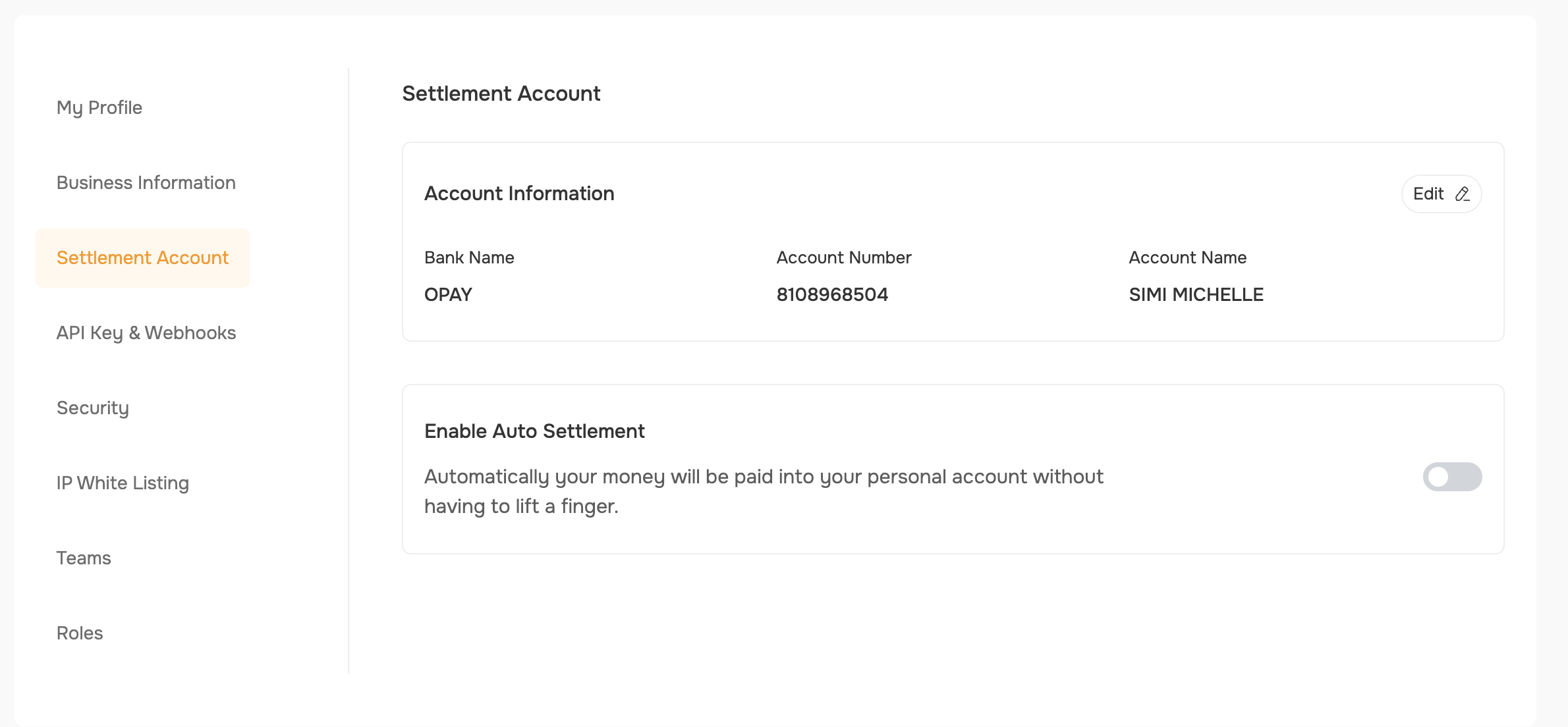
 6. **Set Settlement Preferences:**
* On your profile settings, in the Settlement section, toggle auto settlement on or off based on your preference.
6. **Set Settlement Preferences:**
* On your profile settings, in the Settlement section, toggle auto settlement on or off based on your preference.
 ## How Settlement Works
### Auto Settlement
* Money received via your virtual account is automatically sent to your settlement account on the next business day (T+1).
* This is the recommended option for most users.
* Auto settlements are free.
* You do not need to take any action—funds are moved automatically.
### Manual/Instant Settlement
* If auto settlement is disabled, funds remain in your available balance.
* You can manually settle at any time. A transaction fee will be charged from your main merchant account balance.
* Use this if you want more control over when funds are moved.
### Transaction Visibility
* Money received through your virtual accounts does not immediately show up in transactions to avoid duplicate entries. Settlement is processed at the end of the day.
* With instant settlement, you can send out your settlement balance for the day at any time, but fees apply. Auto settlement is free and processed automatically.
## Visual Guide: Settlement Flow
```mermaid theme={"system"}
flowchart TD
A[Customer pays into your Virtual Account] --> B[Monieswitch Receives Funds]
B --> C{Auto Settlement Enabled?}
C -- "Yes" --> D["Funds sent to Settlement Account (T+1)"]
C -- "No" --> E["Funds stay in Available Balance"]
E --> F["You manually trigger settlement"]
F --> D
D --> G["Funds arrive in your Bank Account"]
E --> H["Funds can be used for payouts or remain until settled"]
```
## Important Notes
* You can only have one active settlement account at a time.
* Always keep your settlement account details up to date to avoid payout delays.
* If you change your settlement account, you may need to re-verify it.
* If you have questions or issues, contact support for assistance.
## How Settlement Works
### Auto Settlement
* Money received via your virtual account is automatically sent to your settlement account on the next business day (T+1).
* This is the recommended option for most users.
* Auto settlements are free.
* You do not need to take any action—funds are moved automatically.
### Manual/Instant Settlement
* If auto settlement is disabled, funds remain in your available balance.
* You can manually settle at any time. A transaction fee will be charged from your main merchant account balance.
* Use this if you want more control over when funds are moved.
### Transaction Visibility
* Money received through your virtual accounts does not immediately show up in transactions to avoid duplicate entries. Settlement is processed at the end of the day.
* With instant settlement, you can send out your settlement balance for the day at any time, but fees apply. Auto settlement is free and processed automatically.
## Visual Guide: Settlement Flow
```mermaid theme={"system"}
flowchart TD
A[Customer pays into your Virtual Account] --> B[Monieswitch Receives Funds]
B --> C{Auto Settlement Enabled?}
C -- "Yes" --> D["Funds sent to Settlement Account (T+1)"]
C -- "No" --> E["Funds stay in Available Balance"]
E --> F["You manually trigger settlement"]
F --> D
D --> G["Funds arrive in your Bank Account"]
E --> H["Funds can be used for payouts or remain until settled"]
```
## Important Notes
* You can only have one active settlement account at a time.
* Always keep your settlement account details up to date to avoid payout delays.
* If you change your settlement account, you may need to re-verify it.
* If you have questions or issues, contact support for assistance.