> ## Documentation Index
> Fetch the complete documentation index at: https://docs.monieswitch.com/llms.txt
> Use this file to discover all available pages before exploring further.
# Scheduled Transfers
> Display inline code and code blocks
## Initialize a scheduled transfer
Set up a one-time future payment via dashboard or API.
## Transfer Details
#### Required Fields
* **Destination Bank**: Select recipient's bank from supported banks list
* **Account Number**: Enter recipient's account number
* *System automatically validates and displays account name*
* **Amount**: Specify transfer amount
* **Schedule Date**: Select future transfer date
* **Schedule Time**: Set execution time
#### Optional Fields
* **Narration**: Add transfer description/reference
## Review Schedule Settings
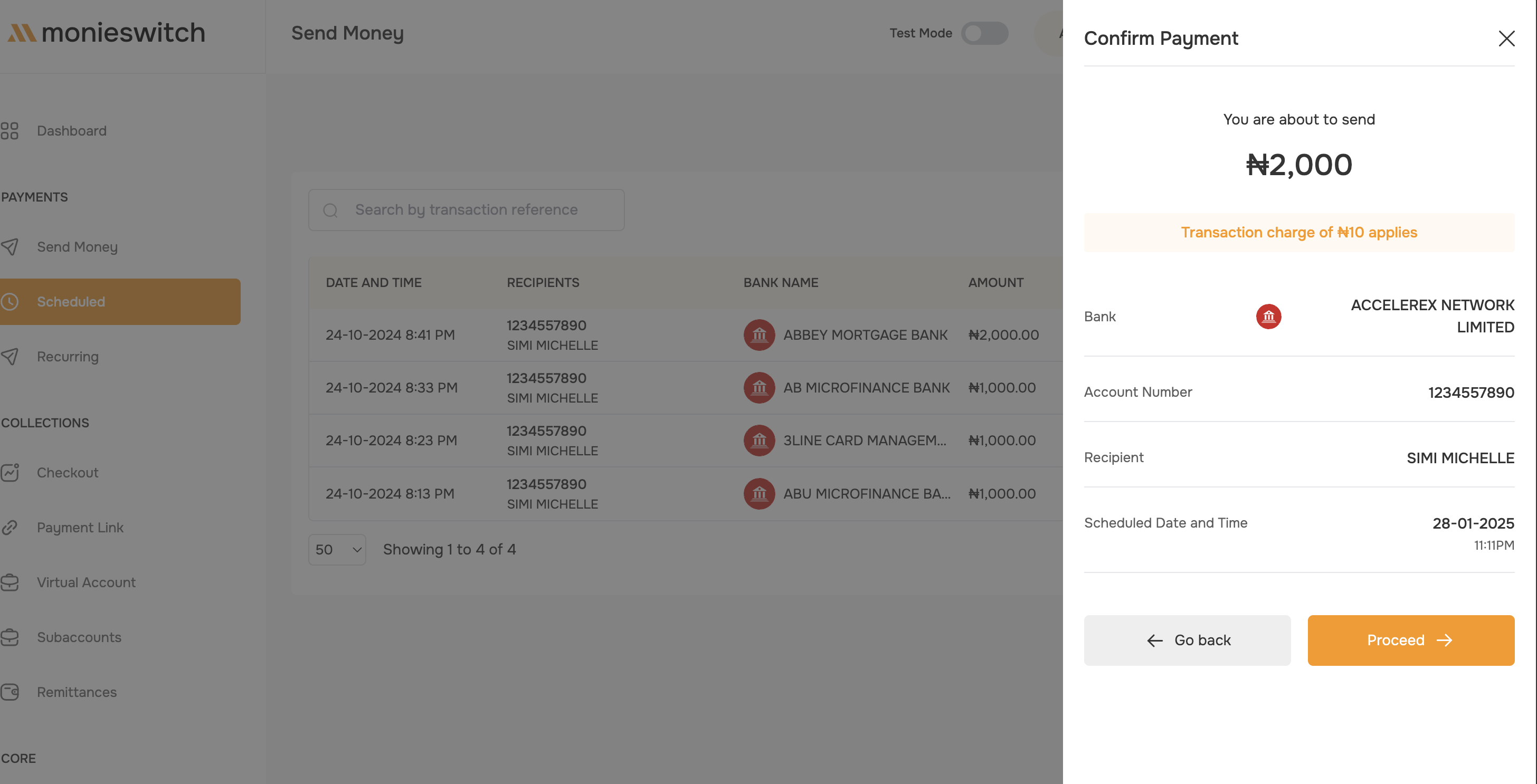 #### Verify Details
* Transfer amount
* Recipient information
* Scheduled date and time
* Payment description
## Confirm Schedule
1. Review all details on confirmation page
2. Click `Proceed` to proceed
3. Enter transaction PIN
4. Schedule is set
**Scheduled transfers can be terminated before execution time**
#### Verify Details
* Transfer amount
* Recipient information
* Scheduled date and time
* Payment description
## Confirm Schedule
1. Review all details on confirmation page
2. Click `Proceed` to proceed
3. Enter transaction PIN
4. Schedule is set
**Scheduled transfers can be terminated before execution time**